


- iPhoneiOS 26+
- iPadiPadOS 26+
Smaller videos, same moments
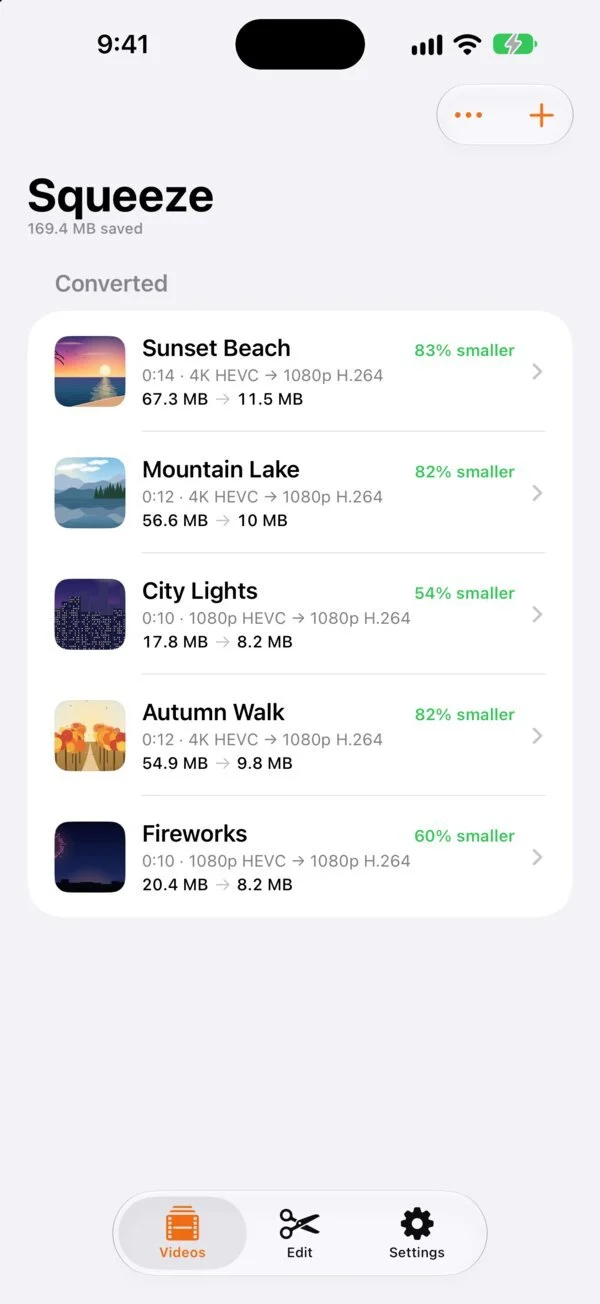
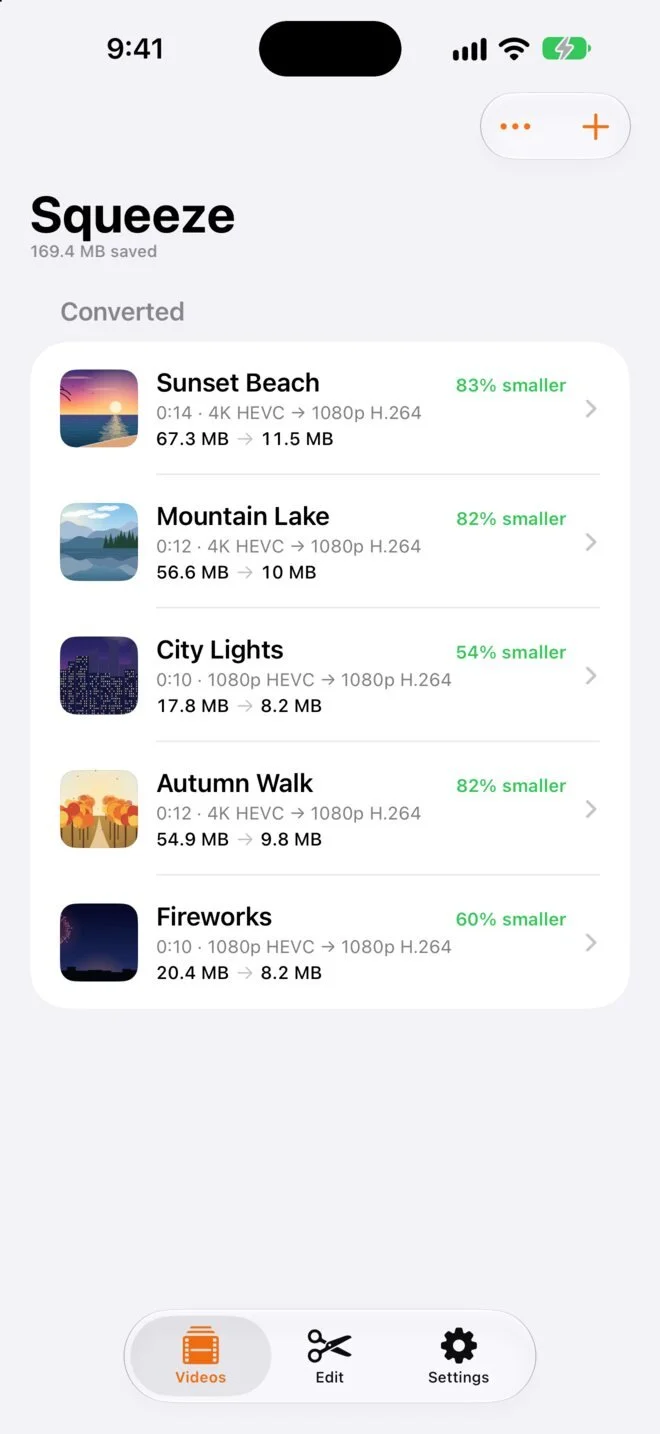
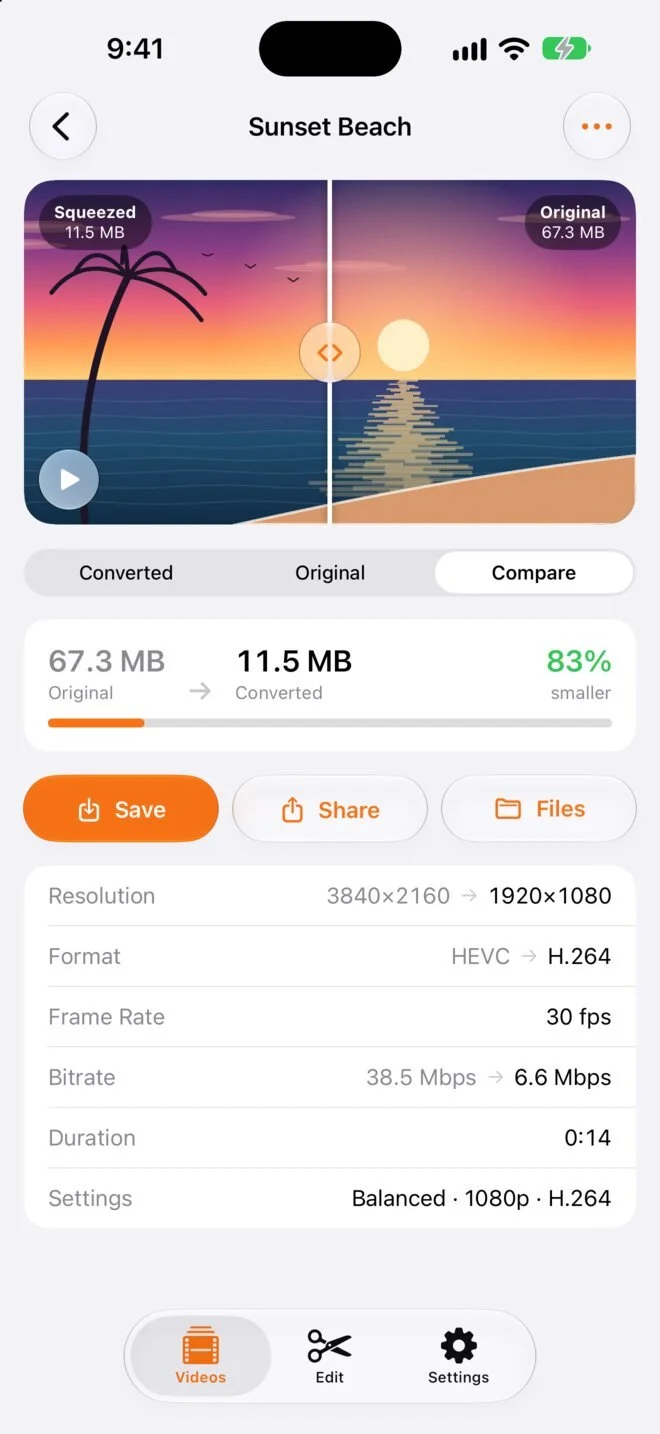
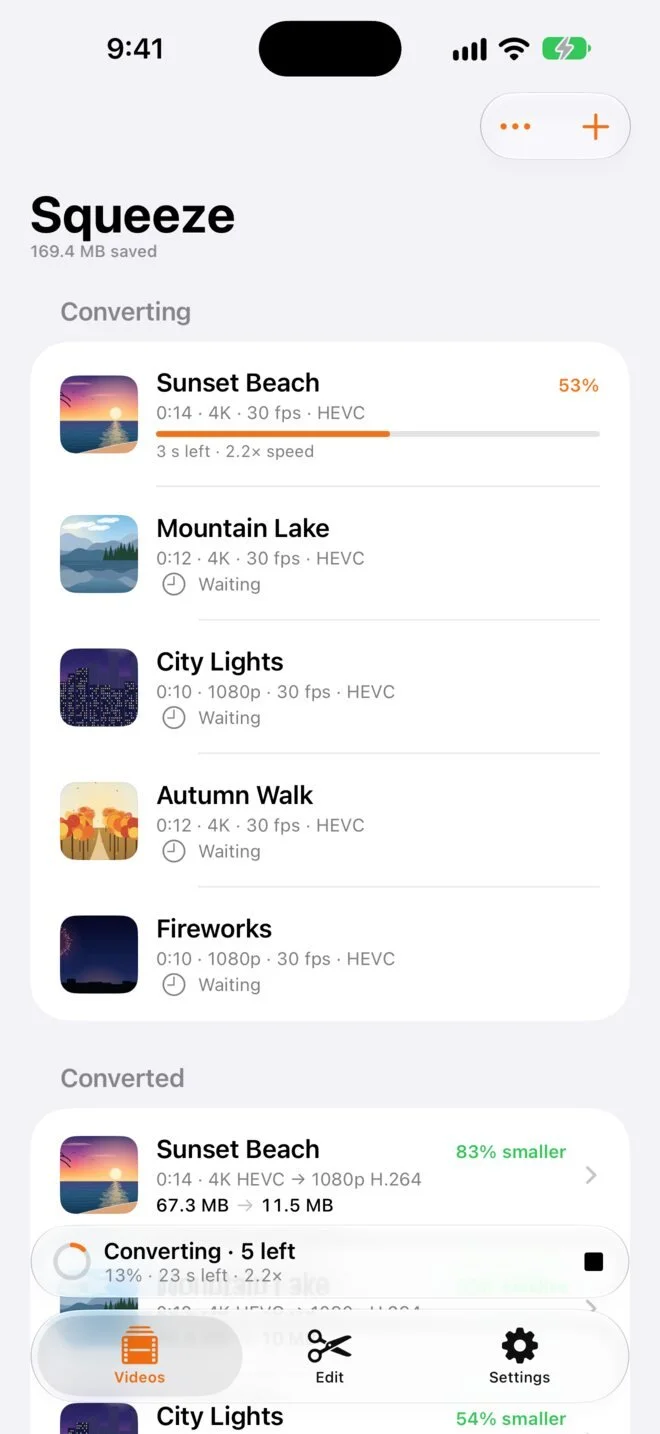
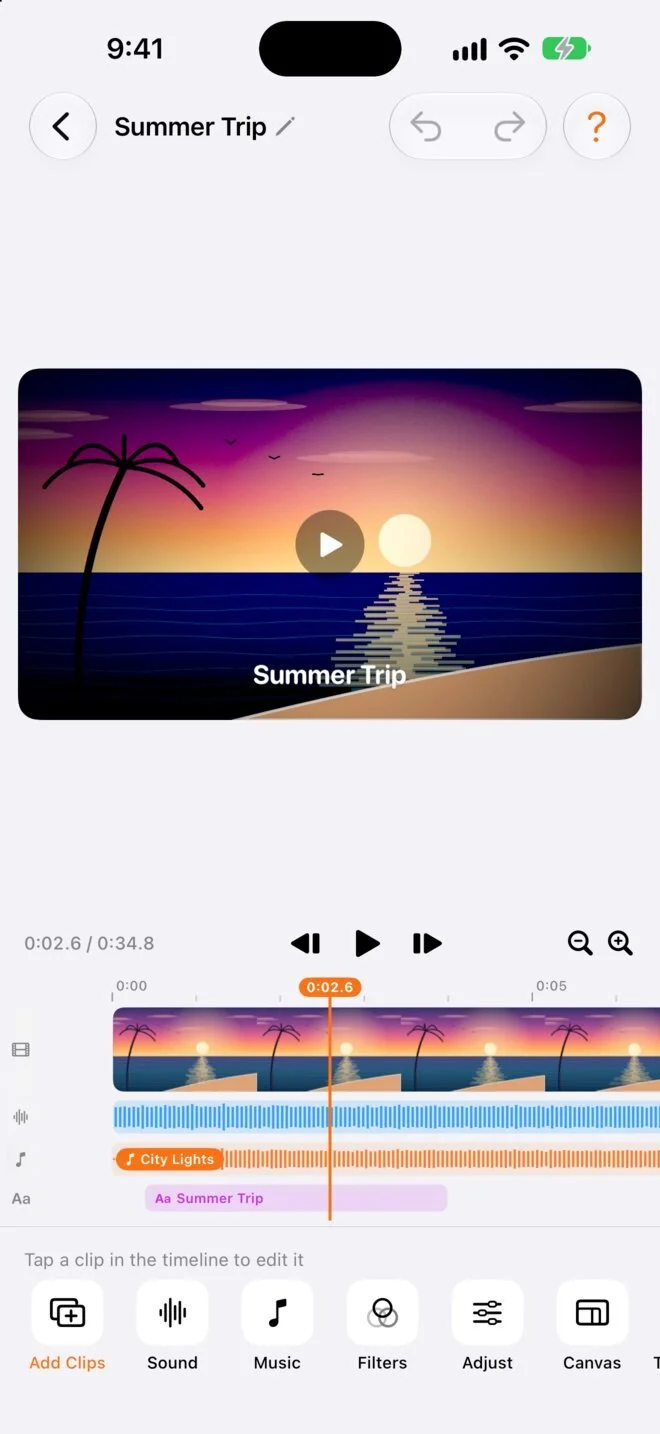
Squeeze compresses and converts the videos on your iPhone and iPad into MP4s that are easy to share, shows the old and new size of each one, and keeps going in the background. A full editor is built in for trimming, merging, music and titles.
What it does
Much smaller files
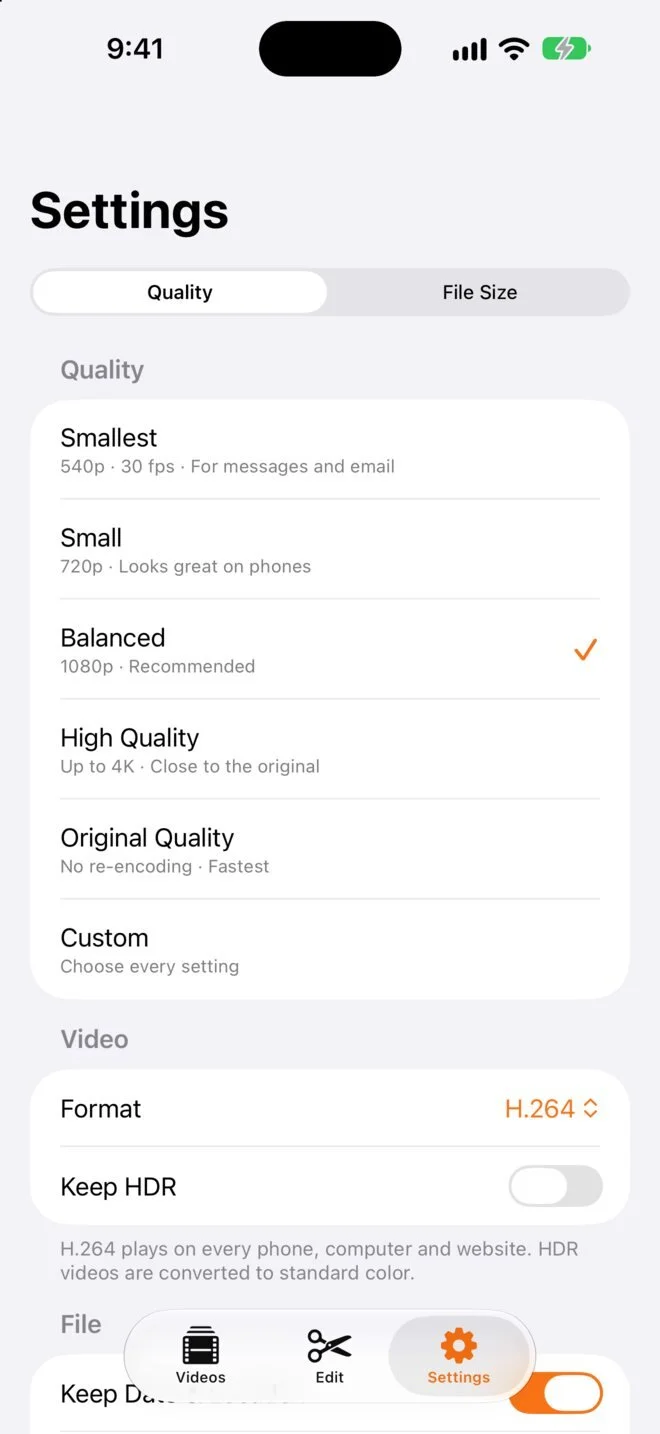
Pick a quality preset, or a size to fit, like 25 MB for email or 16 MB for WhatsApp. Every video shows its old and new size.
Any video to MP4
Videos from Photos or the Files app become MP4s that play almost anywhere, in H.264 or HEVC, from 360p up to 4K.
Keeps going in the background
Add a whole batch and switch apps. Squeeze keeps converting while you do other things and lets you know when it's done.
A full editor
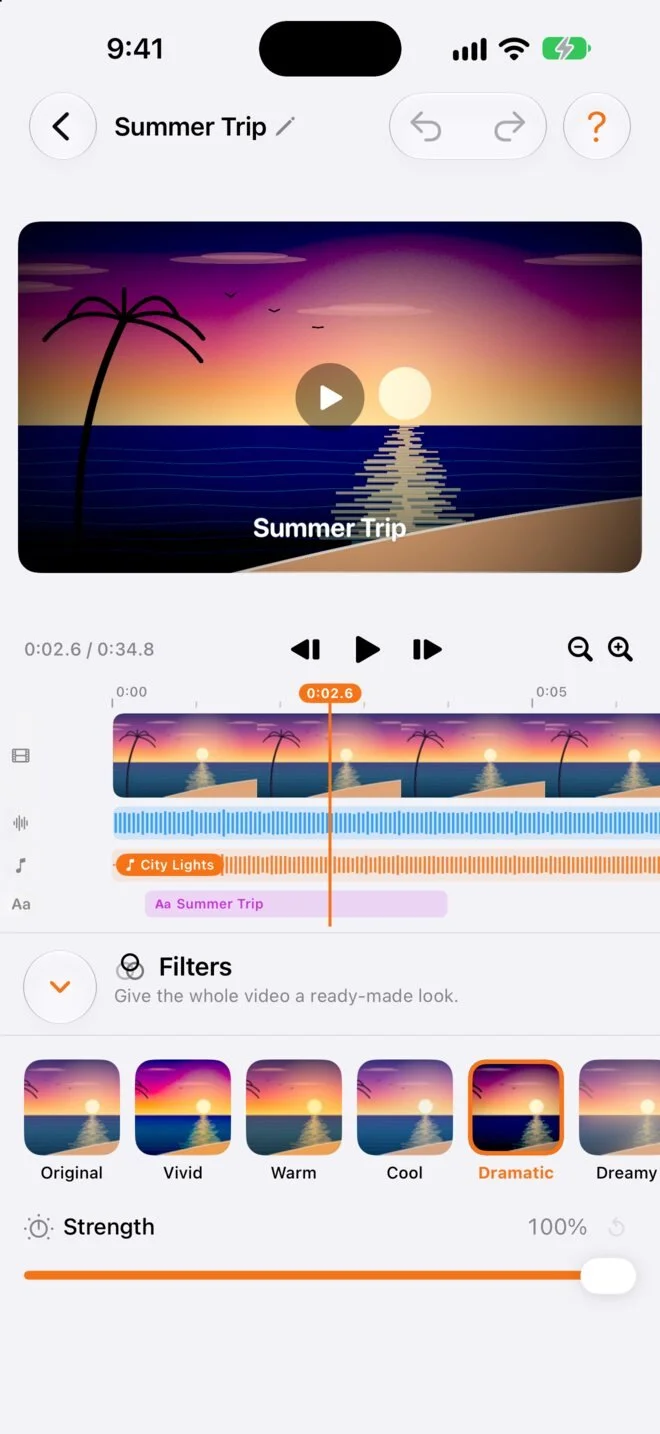
Trim, split and merge clips, change their speed, remove or replace the sound, and add music, titles, filters and transitions.
Keeps the moment
Converted videos keep the date and place they were taken, and save straight back to Photos or share from the app.
Private by design
Everything happens on your iPhone or iPad. There's no account, nothing is uploaded, and the app has no ads, analytics or tracking. Read the privacy policy.
Free to convert, with Pro for the editor
Compressing and converting videos is free, with no limits and no watermark.
Free
Every preset and size to fit, background converting, saving and sharing, and the whole editor, with a small watermark and up to 2 minutes of each clip.
Squeeze Pro
The editor without the watermark, with clips of any length.
- Monthly$3.99 a month
- Lifetime$49.99 once
Common questions
Does Squeeze upload my videos?
No. Squeeze works entirely on your iPhone or iPad, with no servers and no account. Your videos only leave your device when you share them.
How much smaller will my videos get?
It depends on the video and the setting you choose. Squeeze estimates the new size before you start, and shows the exact old and new size when it's done.
Can I make a video fit a size limit?
Yes. In Settings, choose File Size and pick a target, such as 25 MB for email or 16 MB for WhatsApp, and Squeeze sets the quality to fit.
Will my videos keep their date and location?
Yes, unless you turn off Keep Date & Location in Settings. With it off, new videos leave both out, which is handy before sharing one publicly.
What does Squeeze Pro add?
The editor without the watermark, and clips of any length. Without Pro, the editor uses up to 2 minutes of each clip. Converting never needs Pro.
Which devices does it work on?
Any iPhone with iOS 26 or later, and any iPad with iPadOS 26 or later. Squeeze is in 14 languages and follows your device's language.
Need a hand?
Visit Squeeze Support or email contact@barnhillsoftware.com.